
Tennis TV - Live Streaming
ATP Media Operations LtdSports
3.1353.00 Reviews
- Version
- Varies With Device
- Installs
- 1.00M
- Age Rating
- Everyone
Screenshots





Our Review of Tennis TV - Live Streaming
 Analysis by Appyee
I judge a sports-streaming app not only by whether it can show a match, but by how clearly it lets me understand what I’m choosing to watch and pay for. Tennis TV is ATP Media Operations Ltd’s tennis-focused app, and its connection to the ATP Tour gives it a clear purpose: following professional men’s tennis rather than trying to be a general sports hub. That focus is useful if the tour is already part of your routine, but it also defines the audience. I would not choose it as my only sports app if I wanted a broad mix of leagues and events.
The app is free to download, rated for Everyone, and has more than a million installs. Its average score is 3.6 from around 7,300 ratings, with roughly 337 written reviews. I treat that reception as a reason to approach it with sensible expectations rather than as proof that the service will work the same way for everyone. Watching live video also depends on the device, connection, and the viewing options available to your account, so I would test the experience that matters to me before building my whole match-day routine around it.
Trust starts with knowing what you are opening
There is a practical distinction between a free app download and a free way to watch everything. Tennis TV has in-app purchases, with listed items ranging from $16.99 to $94.99. That is worth keeping in mind before settling in for a tournament: I would check the purchase and account screens in the app to see what is offered to me and what a selected option includes. I would not assume that installing it automatically grants access to every live match or replay.
For me, that distinction is part of trust. A service feels easier to evaluate when I can tell the difference between browsing, viewing free material, and starting a paid commitment. Before confirming any purchase, I’d read the displayed terms carefully, check whether the offer suits the events I actually watch, and make sure I’m using the account I intend to use. Those small checks matter more than a splashy promise when a match is about to begin.
Useful controls begin with deliberate choices
Search and straightforward navigation can save time, especially when I know the player or event I want. I’d use search as a deliberate route to a match instead of scrolling through a busy schedule, then check the event and playback selection before pressing play. That simple habit helps avoid the common frustration of opening the wrong item when several matches are happening around the same time.
It is also sensible to review the controls visible in your own version of the app rather than assume that every setting works identically across devices. If I’m watching on a phone, I prefer to choose a match while I have a moment to spare, check that the stream is actually playing, and only then settle in. For a long viewing session, I’d also confirm that my device has enough battery and that I’m comfortable with the connection I’m using. These are ordinary viewing choices, not guarantees about how the service handles data or permissions.
When viewing becomes a data-sensitive moment
Live video is a different kind of app use from checking a score. It can involve a long session and a substantial amount of network activity, so I’d be thoughtful about where I watch. On a mobile connection, I would consider my plan before streaming a full match; on public Wi-Fi, I’d decide whether that network is appropriate for a personal account and any purchase flow. If I only need to know the result, a score update or a short recap is the more restrained option.
I don’t infer privacy practices from a clean interface, a familiar sports brand, or the fact that the app is available on a particular platform. My useful checks are the ones I can make directly: read the permissions prompt when it appears, decline access that does not seem necessary for what I’m doing, and look through the account and privacy choices shown in the app and the device settings. If a prompt is unclear, I’d pause rather than grant access automatically. That approach keeps the decision in my hands without pretending that appearance alone tells me how information is handled.
Keeping control of the account and spend
Paid sports viewing can be easy to start and easy to forget, so I’d treat the account area and the purchase confirmation as important parts of the experience, not boring setup screens. Before choosing an offer, I’d compare its cost with how often I expect to watch ATP events and whether replays or highlights are enough for my habits. Someone who follows only one tournament may value the app differently from a fan who checks in throughout the season.
If I stop watching, I would use the purchase-management controls available through the store or account that handled the transaction, and keep an eye on the confirmation details rather than relying on memory. I would also make sure I know which account is signed in before changing settings or making a purchase. This is a practical safeguard for any streaming subscription or in-app offer, especially when more than one person uses the same device.
First Impressions and Interface
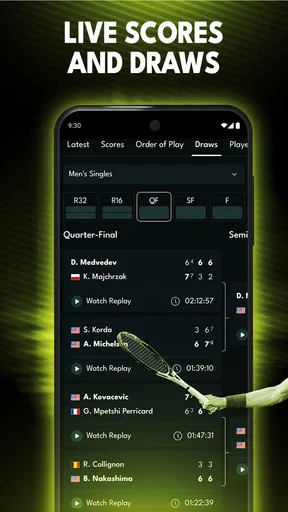
Right off the bat, Tennis TV greets you with a clean and user-friendly interface. The layout is intuitive, making it easy to navigate even if you're not a tech wizard. With a simple tap, you can dive into live matches, highlights, and replays. The app is designed to keep you hooked from the get-go, and it does just that.
The main menu is well-organized, and finding your favorite players or tournaments is a breeze. I particularly appreciated the search functionality, which quickly led me to the content I was eager to watch. The visual appeal of the app, coupled with its seamless navigation, really sets the stage for an enjoyable user experience.
Live Streaming and Match Coverage
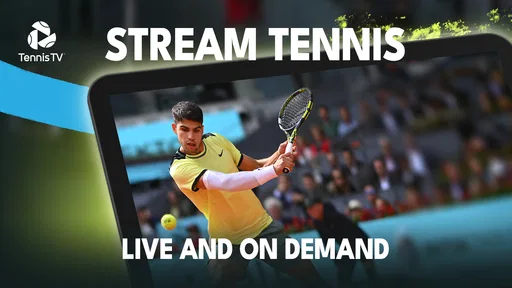
Now, onto the heart of the app: the live streaming. I was thrilled to see that Tennis TV offers high-quality streams with minimal buffering. The app covers a wide array of tournaments, including ATP 250, 500, and 1000 events. For anyone who loves to keep up with the tennis world, this is a goldmine.
What I loved most was the extensive coverage of each match. From pre-match commentary to post-match analysis, the app ensures you're never out of the loop. The live scoring feature is particularly handy if you can't catch the match in real-time. It keeps you updated with every serve and volley.
Exclusive Features and Content
One of the standout features of Tennis TV is its exclusive content. The app provides access to player interviews, match previews, and behind-the-scenes footage. It's like having a backstage pass to the tennis world. As a fan, this adds a richer dimension to the viewing experience.
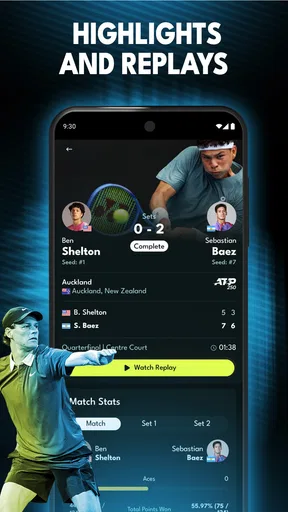
Another fantastic feature is the ability to watch replays. Missed a match? No worries. You can catch up on all the action at your convenience. The app also offers a highlight reel, perfect for those who want a quick recap of the day’s matches.
User Experience and Performance
Throughout my time with the app, I found the performance to be smooth and reliable. There were no annoying crashes or glitches, which is a huge plus. The video quality is top-notch, and the streams are remarkably stable. It’s evident that the developers have put a lot of effort into ensuring a seamless viewing experience.
Additionally, the app is available on both Android and iOS, which makes it accessible to a broad audience. I tried it on both platforms, and the experience was consistently excellent.
Conclusion
In a nutshell, Tennis TV is a must-have for any tennis enthusiast. Its comprehensive coverage, exclusive content, and user-friendly interface make it a standout in the sports streaming category. Whether you're watching your favorite player battle it out on the court or catching up on highlights, this app has you covered.
So, if you're itching to get closer to the action and never miss a moment of your favorite sport, give Tennis TV a try. It’s not just an app; it’s your all-access pass to the world of tennis.
Where this app fits into an ordinary week
The strongest case for Tennis TV is a fan who follows the ATP Tour closely enough to have a few names, events, or matchups in mind before opening the app. Imagine checking the schedule during a lunch break, searching for a player you follow, and deciding whether to watch live or return later for a replay. That is a more natural fit than opening a general sports service and filtering through many unrelated competitions. The focused catalogue can make the route to tennis feel direct.
It also suits a household where people watch at different times. One person may want the live match, while another only has time for highlights or a replay later. In that situation, the choice between live viewing and catch-up material is more useful than trying to coordinate everyone around a broadcast schedule. I would still check the specific match page before planning an evening around it, because a tournament-focused service is most helpful when the event you care about is actually available to you.
Making the most of live, replay, and highlights
A small workflow improvement is to decide what kind of viewing session you want before browsing. If I have a short break, I look for highlights rather than starting a match I cannot finish. If I want the full contest, I search by player or tournament and make sure I have enough uninterrupted time. When I miss the start, replay is the better choice than trying to reconstruct the match from scattered clips. Separating those intentions keeps the app useful even on days when I cannot watch for long.
Live scoring has a different role: it is a low-commitment way to follow a match when video is inconvenient. I might use it while commuting or waiting for an appointment, then switch to a replay or highlights when I have time. That makes Tennis TV less of an all-or-nothing viewing tool. The trade-off is obvious: scores give me the shape of a contest, but not the movement, tactics, or atmosphere that make tennis compelling.
How it compares with broader sports services
Compared with a general sports-streaming app, Tennis TV has a narrower remit and a more specialized reason to open it. That focus is an advantage when I want ATP-related coverage without navigating through football, motorsport, or other sports. It is a weaker choice when I want one subscription or app to cover several interests, or when my tennis viewing centers on competitions outside the ATP Tour. In those cases, a broadcaster or broader sports service may fit better, depending on what it carries in my region.
Compared with television coverage, the app’s practical appeal is flexibility: I can look for a live stream, a replay, or a shorter recap rather than being tied to a single broadcast moment. Traditional TV can still be preferable for someone who wants a simple channel-based experience on a large screen and has access to the event there. I see Tennis TV as a dedicated companion for following the tour, not an automatic replacement for every sports subscription or broadcast option.
Who will appreciate it—and who may not
I would recommend trying it if ATP tennis is a regular interest, if you often want to revisit matches, or if you like having video and score-following options in one tennis-specific place. The search-led approach is especially helpful for fans who follow particular players rather than watching every event from beginning to end. The app can also work well for someone learning the tour: highlights and interviews offer a way to get familiar with players without committing to a full match each time.
I would be more cautious if I only watch tennis occasionally, mainly follow other tours, or rarely sit through a full match. A free download does not by itself settle whether the available paid choices are worthwhile for those habits. Before spending, I’d compare the events I actually plan to watch with what the app offers at the time, and consider whether highlights or another service already meet my needs. That is a better test than paying because a major match is about to start.
A measured verdict on confidence and convenience
The app’s focused identity, direct browsing, and mix of live and on-demand viewing make it an appealing option for committed ATP fans. At the same time, I would keep the decision practical: verify the match you want, understand the purchase shown in your account, and choose the viewing format that suits your connection and schedule. The app’s average rating of 3.6 reflects a mixed overall reception, so I would treat my own device and viewing conditions as part of the trial rather than expecting one experience to represent everyone.
My cautious recommendation is to install it if the tour is a genuine part of your sports routine, explore the available content before committing to a paid option, and review account and device choices at your own pace. If what you need is broad sports coverage, a service with a wider range may be the more sensible home base. If what you want is a dedicated way to follow ATP tennis, Tennis TV has a clear use case; the best value depends on how often you will actually press play.
Verdict
Strengths of Tennis TV - Live Streaming
- High-quality video streaming available.
- Wide range of tournaments covered.
- Detailed match statistics accessible.
- User-friendly interface design.
- On-demand replays offered.
Limitations of Tennis TV - Live Streaming
- Requires a stable internet connection.
- Subscription needed for full access.
- No offline viewing option.
- Limited customization settings.
- Occasional streaming delays.
Similar Picks in This Category
View All
BeSoccer: Soccer Live Score
BeSoccer apps4.3

Cricbuzz - Live Cricket Scores
Cricbuzz.com3.7

NFL
NFL Enterprises LLC2.4

Da Fit
MO YOUNG LIMITED3.6

ESPN
Disney4.5

LiveScore: Live Sports Scores
LiveScore Limited4.5
Frequently Asked Questions
What is Tennis TV - Live Streaming?
Tennis TV - Live Streaming is an official live video streaming app for tennis enthusiasts, offering coverage of ATP Tour events. With this app, users can watch live matches, highlights, and replays in high quality. It's designed to provide fans with access to their favorite tennis content anytime, anywhere.
Is Tennis TV - Live Streaming available on both Android and iOS?
Yes, Tennis TV - Live Streaming is available for download on both Android and iOS devices. Users can find the app on the Google Play Store for Android devices and the Apple App Store for iOS devices. This ensures wide accessibility for tennis fans globally.
Does Tennis TV - Live Streaming require a subscription?
Yes, Tennis TV - Live Streaming operates on a subscription model. Users need to subscribe to access the full range of live matches, replays, and exclusive content. Subscription plans may vary, offering monthly or annual options, providing flexibility for different viewing needs.
What types of content are available on Tennis TV - Live Streaming?
The app provides a wide array of tennis-related content, including live streaming of ATP Tour matches, match replays, and highlights. Additionally, users can access player interviews, behind-the-scenes footage, and other exclusive content, making it a comprehensive platform for tennis fans.
Can I watch Tennis TV - Live Streaming on multiple devices?
Yes, with a subscription, Tennis TV - Live Streaming allows users to watch content on multiple devices. This feature provides the convenience of starting a match on one device and continuing on another, ensuring a seamless viewing experience across smartphones, tablets, and other compatible devices.
